
Appearance
Banners and system status
Available on the Enterprise plan.
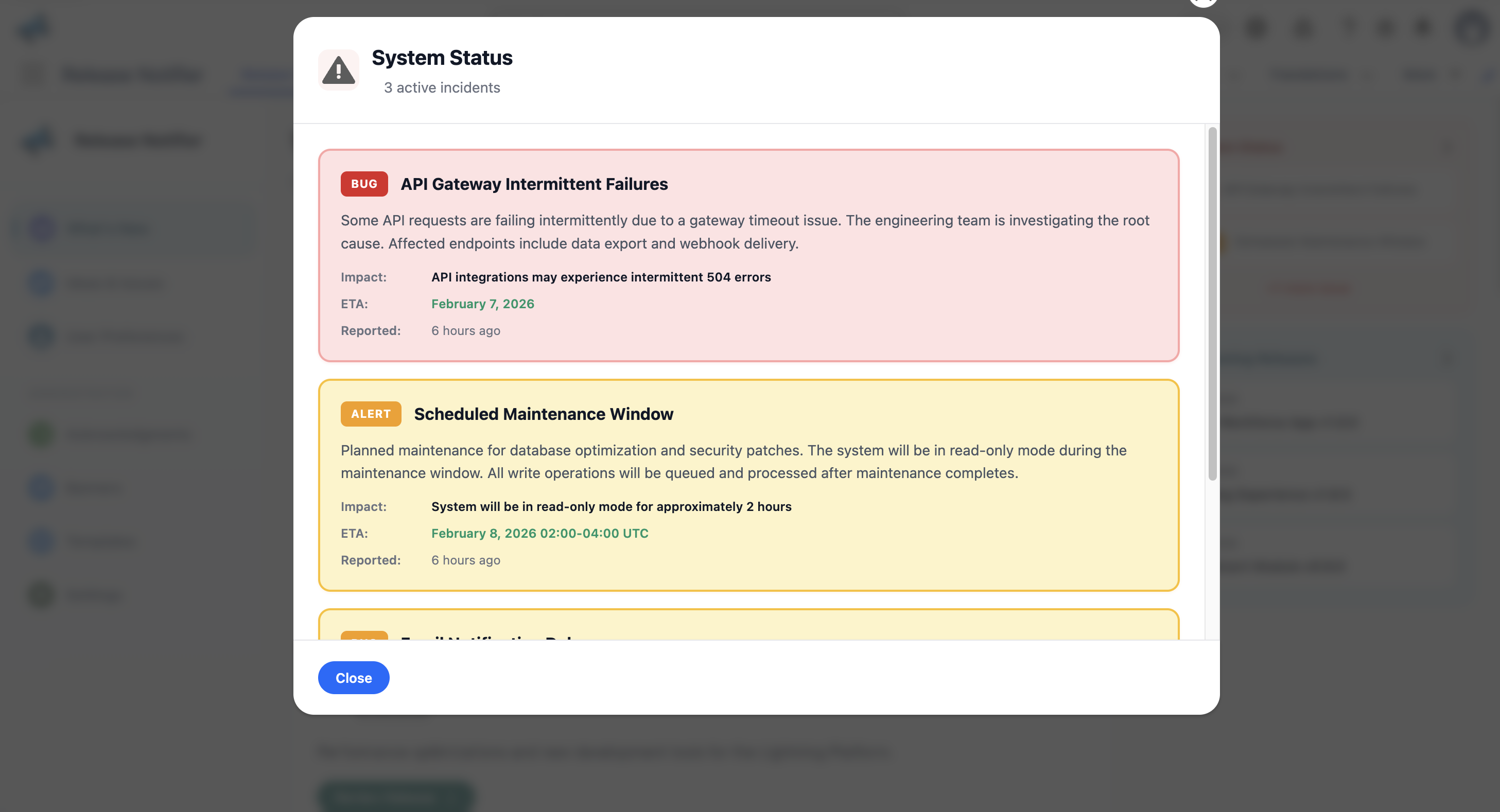
Not everything deserves a release note. Outages, degraded integrations and maintenance windows go on the System Status panel that users see next to the What's New feed.
You need the Release Notifier Manager permission set or higher to manage status items; the page is Banners in the left navigation.
Status items
Each item has:
- a Type: BUG or ALERT;
- a Severity: Critical or Warning;
- an Impact description and rich-text details;
- an optional ETA so users know when to check back.
Resolving
Mark an item as solved when it is fixed and add resolution notes. Solved items leave the active panel; the history stays for reference.