
Appearance
Acknowledgment tracking
Acknowledgment turns a release note from "posted" into "confirmed". You need the Release Notifier Manager permission set or higher to see the tracking page.
Require acknowledgment
In the release editor, mark the release as requiring acknowledgment and set a due date. Targeted users see the release in What's New and confirm each note with one click.
Reminders
Reminders are off until an admin ticks Enable reminders in Settings; ticking it schedules the daily reminder job automatically. Pick a frequency: Daily, Every 3 Days or Weekly.
Users are chased through:
- Salesforce bell notifications (desktop and mobile) when a release needs their acknowledgment and when it is overdue;
- an overdue email with a link to the release;
- manual reminders you trigger from the tracking page.
The tracking page
Acknowledgments in the left navigation shows every release that requires acknowledgment with its done, pending and overdue counts, per user.
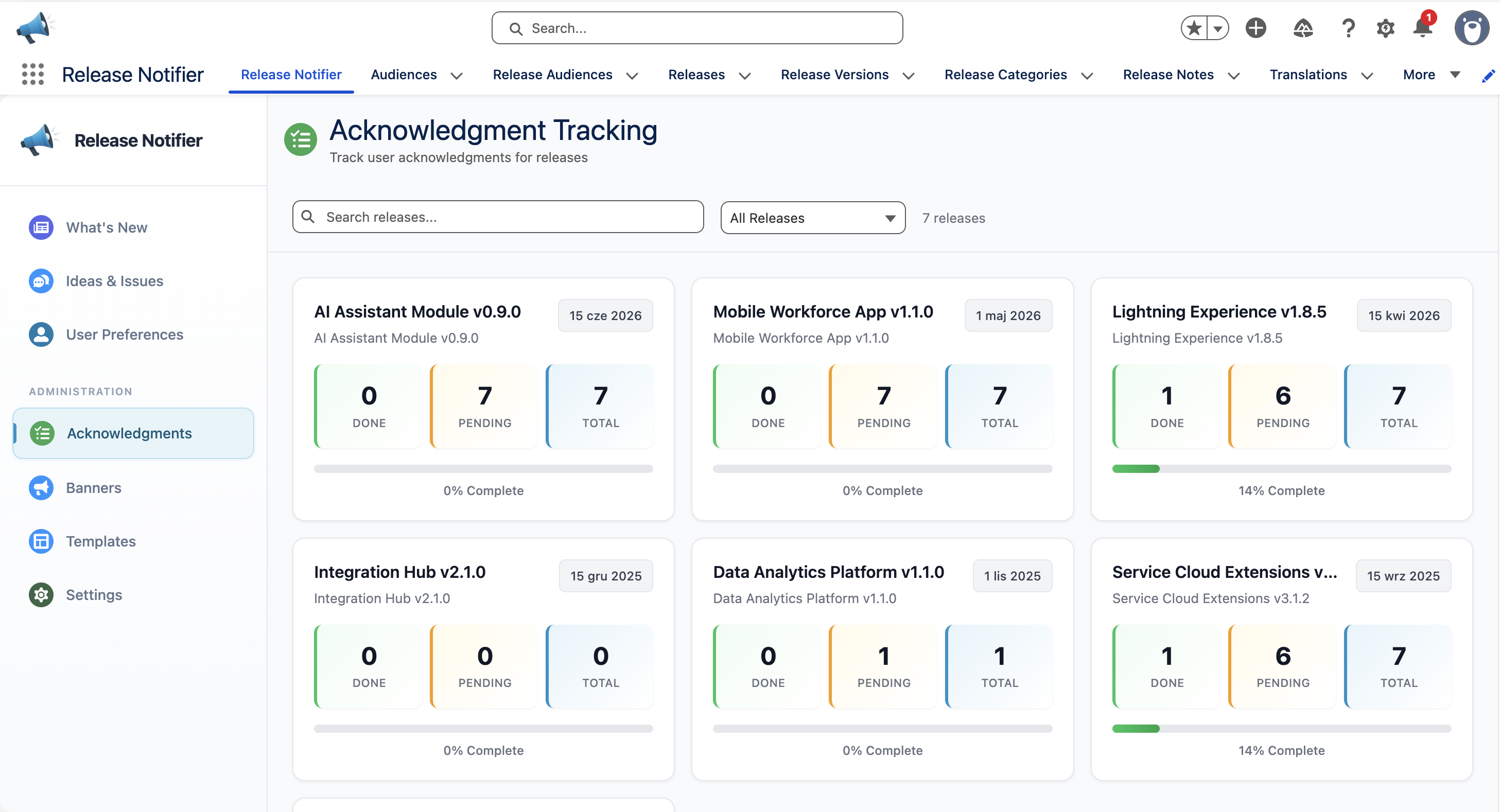
From the detail view you can Export to CSV for audit or compliance reporting, and copy the email addresses of pending, acknowledged or all users.

Re-acknowledgment on change
Acknowledgments are tied to note content, not just the note. When you edit a published note, only the users affected by the changed note are asked to confirm again; acknowledgments for unchanged notes carry over. See Create and publish releases.